
PlayStation App
PlayStation Mobile Inc.Entertainment
3.568.83K Reviews
- Version
- 26.11.0
- Installs
- 100.00M
- Age Rating
- Teen
Screenshots
Our Review of PlayStation App
 Analysis by Appyee
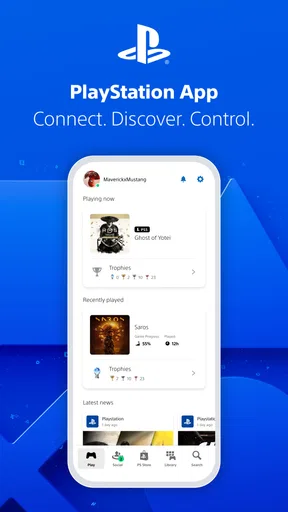
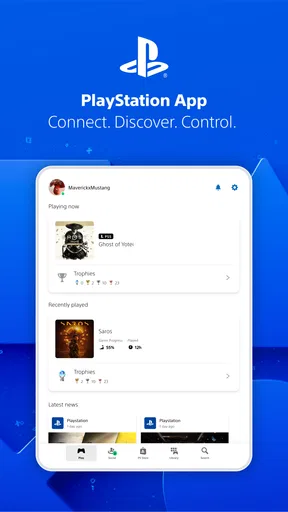
I find the PlayStation App most useful when I treat it as a companion to a console, rather than a replacement for one. It is a free entertainment app from PlayStation Mobile Inc., and its strongest ideas revolve around keeping tabs on friends, browsing the PlayStation Store and handling a few tasks while I’m away from the TV. That makes it handy in small, repeated moments: checking what a friend is playing during a break, looking up a game someone mentioned, or getting a download started before I get home.
There is a practical distinction worth keeping in mind from the start: this is not a way to play console games on a phone. I use it to manage and follow parts of my PlayStation life, while the console remains where the actual gaming happens. If that separation suits you, the app can save little bits of time. If you mainly want mobile games or a portable way to stream your console, a different app or service is a better match.
A routine that makes the app worthwhile
My most reliable routine is simple. I check the activity and messages I care about, browse the Store when I have a specific game in mind, and use remote downloading when I know I want something ready on the console later. This is more useful than opening the app whenever I’m bored and scrolling without a goal. The companion features work best when they support a plan I already have, such as coordinating a session with friends or preparing a download for the evening.
Picture a familiar situation: a friend asks about playing later while I’m on the way home. I can check whether they are online, message them, and make a rough plan before I reach the console. If there is a game or add-on I want to install, I can start the download remotely, then check storage if space may be tight. None of that replaces sitting down to play, but it can remove a few chores from the start of the evening.
Settings and habits that reduce friction
I would take a minute to review the account, profile and notification settings rather than accepting every alert as useful. Gaming news, friend activity and messages are not equally important to everyone; choosing what deserves a notification can keep the app from becoming noise. I also check that the console is associated with the account I intend to use before relying on remote actions. A quick check early on is less frustrating than discovering a setup mismatch when I’m away from home.
There is a small but worthwhile habit around downloads: before starting one remotely, I think about whether the console is ready to receive it and whether storage is available. The app can make the request convenient, but it cannot make a full drive larger or turn a console that is unavailable into a useful download target. If I’m unsure, checking storage first is the more dependable sequence. It also helps me avoid treating a tap in the app as proof that everything will be ready the moment I walk in.
For social use, I keep the distinction between checking activity and actively chatting in mind. The phone is convenient for a quick message or to see who is around, but longer conversations are usually better when I’m settled and able to focus. That matters if a group is coordinating a game: I can use the app to get the conversation moving, then switch to the console when the session actually starts.
What the PlayStation App does best—and where it stops
I find the useful boundary of the PlayStation App clearer when I separate quick coordination from tasks that need a larger screen. I’ll look at what makes it a good companion for console routines, then where I’d switch to the console or another app instead. That distinction also makes the settings and habits worth checking easier to judge.
Seamless Connection with Your Console
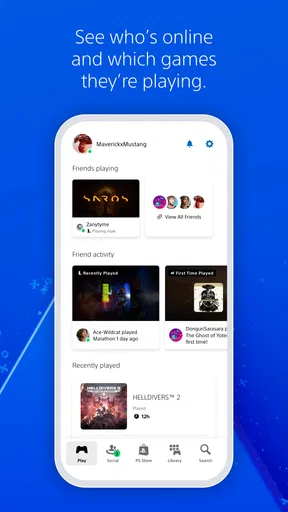
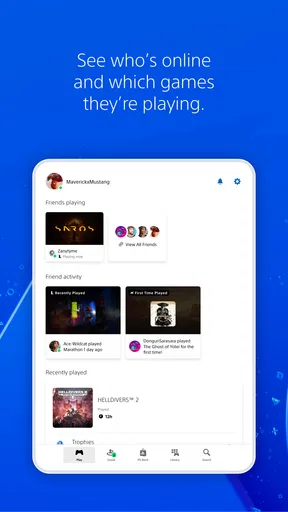
First off, the connectivity between the PlayStation App and your console is as smooth as butter. It’s like they’re best friends who can’t get enough of each other. You get to see who’s online, what game they’re playing, and even join a party chat. Imagine being on the bus and planning your gaming session for when you get home. It’s a whole new level of convenience.
Stay Updated with the Latest
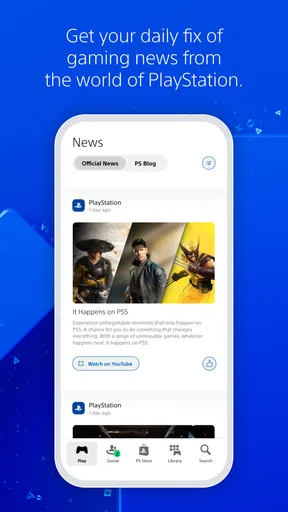
One of the features I adore is how the app keeps you in the loop. Whether it’s the latest game releases, updates, or news, you’re always a tap away from being informed. The app’s interface is sleek and intuitive, making it easy to navigate through all the information without feeling overwhelmed. It's like having a personal assistant who’s obsessed with gaming as much as you are.
For me, the key is to use that feed selectively. Store browsing and gaming news can be entertaining, but they can also pull me away from the specific task I opened the app to handle. When I’m only trying to check a message or look up a title, going straight to that part of the app is more useful than turning a quick check into a long scroll. The app’s broad range is a strength, but it rewards a little intention.
Remote Downloads and Storage Management
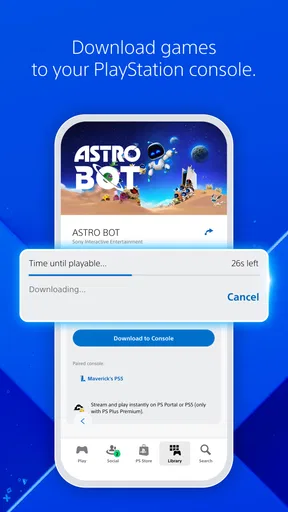
Ever had that moment when you wish you’d started downloading a game earlier? With this app, you can remotely download games and add-ons directly to your console. You can even manage your storage, which is a lifesaver when you’re running out of space and need to make room for the latest blockbuster title. It’s pretty much like magic, but real.
I see remote downloading as preparation, not a guarantee of instant play. It is most helpful when I know what I want before I get home and can leave the console in a position to handle the task. Storage management also makes more sense as a deliberate check than as an emergency fix: deciding what can be removed is easier when I am not already waiting to play. If the console is shared, I would be thoughtful about what I start or remove, since storage choices can affect someone else’s plans too.
Messaging and Social Features
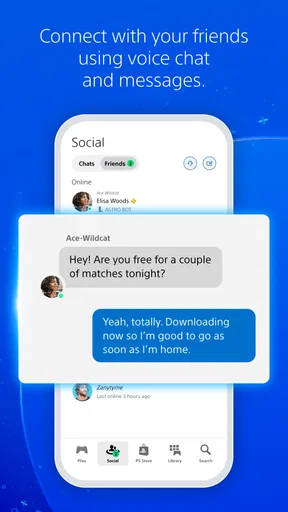
Connecting with friends has never been easier. The app allows you to message your buddies, check out their gaming activities, and even share your achievements. Whether it’s bragging rights or just catching up, the social features are robust enough to keep you engaged. And hey, who doesn’t love a good gaming meme in their inbox?
Compared with using a general-purpose chat app, the PlayStation app’s advantage is context: friends’ gaming activity and PlayStation conversations sit close to the rest of the console ecosystem. A separate messenger may be better for a group that includes people who do not use PlayStation, or for conversations that need more flexible organization. I would not move every social interaction here; I would use it when the subject is specifically what to play, who is online, or what is happening in a gaming session.
Personalized Experience
The app doesn’t just stop at functionality. It offers a personalized experience that makes you feel right at home. Customize your profile, update your avatar, and tweak your settings to match your gaming style. It’s these little touches that make a big difference in how you interact with your gaming world.
Personalization is useful when it helps friends recognize you and makes the account feel like yours, but I would not expect it to transform the app into a deeply configurable dashboard. I focus on the settings that affect how I use it day to day, then leave cosmetic choices as a nice extra. That keeps setup quick and avoids spending more time arranging a companion app than using the console itself.
Access to the PlayStation Store
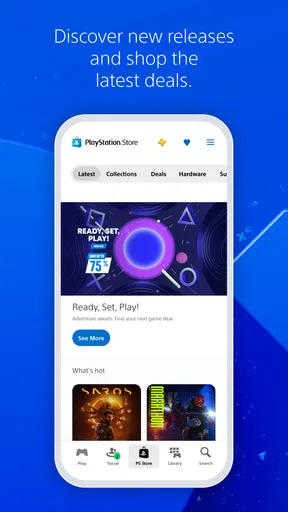
Shopping for new games or add-ons? The PlayStation App has you covered with direct access to the PlayStation Store. Browse through the latest offers, check out what’s trending, and grab those exclusive deals without missing a beat. It’s like having a virtual shopping spree whenever the mood strikes.
I find phone browsing especially useful for researching a title someone has recommended, or saving a purchase decision for later rather than interrupting a game. The trade-off is that a small screen makes it easier to skim than to compare carefully. Before buying, I slow down and check that I have the right game or add-on in mind; browsing quickly is convenient, but it is not a substitute for making a considered choice. If I only want a broad, platform-neutral catalogue of games, another discovery source may suit me better. This Store access is most valuable when I already know I’m shopping within PlayStation’s ecosystem.
Multimedia and Live Streams
If you’re into watching live streams or checking out the latest trailers, the app provides easy access to multimedia content. Whether you’re on your lunch break or chilling at home, you can catch up on the latest gaming showcases or watch your favorite streamers in action. It’s entertainment on the go, right at your fingertips.
That makes the app a convenient place to dip into PlayStation-related viewing, not necessarily my first choice for every kind of video. If I want a focused viewing experience or spend a lot of time watching creators across different platforms, a dedicated video app is usually more comfortable. Here, the benefit is staying close to game discovery: a trailer or stream can help me decide what to look into next without having to switch immediately to a separate gaming news destination.
Who will get the most from it
I would recommend it first to people who already own or regularly use a PlayStation console and want a useful phone-side companion. It is particularly suited to players who coordinate sessions with friends, browse games while away from the console, or like to prepare downloads ahead of time. A casual player can still get value from checking a message or finding a game, but the more often PlayStation activity matters in your routine, the more naturally the app fits.
On the other hand, I would skip it if you do not use PlayStation, want a standalone mobile gaming library, or mainly need a general social network. Its entertainment focus is tied to the PlayStation world, so the most relevant parts lose their purpose if your friends, purchases and gaming time are elsewhere. It is also not essential for someone who prefers doing every account, Store and social task directly on the console and rarely needs to check in from a phone.
How it compares with other ways to keep in touch
The usual alternatives are a console’s own menus, a general messaging app, and separate sites or apps for game news and video. The console is often the better place for a longer session, detailed browsing or decisions that are easier on a large screen. A general messenger reaches friends across platforms, while dedicated media services offer broader viewing choices. The PlayStation app sits between these options: it is more directly connected to PlayStation activity than a general messenger, but less universal than one.
That middle ground is its real strength and its limit. I would not call it a replacement for every gaming tool I use; I would keep it for tasks that benefit from being tied to my PlayStation account and console. The best workflow is to use the phone for quick checks and preparation, then use the console for the actual play and any task that feels cramped or needs more attention.
Small limitations that matter in daily use
The app’s convenience depends on context. A phone notification cannot make a friend available, and a remote download still depends on the console being able to receive it. Store browsing is easy, but a small display can encourage quick decisions. Social features are handy, though they are not automatically the best place for every group conversation. These are not reasons to avoid the app; they are reasons to treat it as a companion with a clear role rather than expect it to handle the entire gaming experience.
Its long history is reflected in a broad audience: it was released on January 11, 2011, and has grown to over 100 million installs, with an average rating of 3.6 from around 1.1 million ratings and about 68,000 reviews. Those figures suggest plenty of people find it useful, while the middling average is a reminder that a companion app will not feel equally valuable to everyone. The current version is 26.5.0, it is free, and it is rated Teen. On Android, it requires version 8.0 or later.
PlayStation Mobile Inc. has built an app that is most convincing when I use it with a few repeatable habits: check messages when planning a session, review storage before relying on a remote download, and browse the Store with a clear idea of what I want. I would not install it expecting a portable console or a universal entertainment hub. But if you already play on PlayStation and often find yourself away from the TV, PlayStation App is a useful, low-friction way to stay connected and get small tasks out of the way. For me, that focused role—not trying to replace the console—is what makes it worth keeping.
Privacy and Permissions
See what permissions an app requests and how it handles your data.
- Calendar
- read calendar events plus confidential information, add or modify calendar events and send email to guests without owners' knowledge
- Photos/Media/Files
- read the contents of your USB storage, modify or delete the contents of your USB storage
- Storage
- read the contents of your USB storage, modify or delete the contents of your USB storage
- Camera
- take pictures and videos
- Microphone
- record audio
- Wi-Fi connection information
- view Wi-Fi connections
- Other
- view network connections, pair with Bluetooth devices, full network access, change your audio settings, run at startup, control vibration, prevent device from sleeping, Google Play license check
Verdict
Strengths of PlayStation App
- Seamless integration with PS4/PS5.
- Easy access to PlayStation Store.
- Join voice chats via phone.
- Remote game downloads available.
- Customizable notifications.
Limitations of PlayStation App
- Limited in-app game streaming.
- Occasional connectivity issues.
- No backward compatibility support.
- Voice chat requires stable internet.
- Limited parental controls.
Other Releases by PlayStation Mobile Inc.
View All
MLB® The Show™ Mobile Baseball
Sports3.8
Similar Picks in This Category
View All
Google Play Games
Google LLC3.9

Netflix
Netflix, Inc.4.8

YouTube Kids
Google LLC4.2

Disney+
Disney4.4

Prime Video
Amazon Mobile LLC4.7

Steam
Valve Corporation3.2
Frequently Asked Questions
What features does the PlayStation App offer?
The PlayStation App allows users to connect with their gaming community, access their PSN profile, and view game progress. You can chat with friends, browse the PlayStation Store, and download games to your console remotely. It also provides the latest news and updates about games and events.
Do I need a PlayStation console to use the app?
While having a PlayStation console enhances the app's functionality, it is not a requirement. You can still use the app to manage your PlayStation Network account, chat with friends, and stay updated with gaming news without owning a console. However, features like remote downloads require a linked console.
Is the PlayStation App free to use?
Yes, the PlayStation App is free to download and use. However, some features, like purchasing games through the PlayStation Store, will require payment. Additionally, access to certain features may require a PlayStation Plus membership, which is a separate subscription service.
Can I use the PlayStation App to control my console?
Yes, the PlayStation App offers a second-screen experience, allowing you to navigate your console's interface and control media playback. You can also use the app to enter text on your console, making it easier to communicate with friends or search for content without a controller.
Is the PlayStation App available on both Android and iOS?
The PlayStation App is available for both Android and iOS devices. It can be downloaded from the Google Play Store for Android users and the App Store for iOS users. Ensure your device meets the minimum system requirements for optimal performance.
